# Powerpipe MCP Server
> Build interactive dashboards and cloud security benchmarks through conversations.
By Turbot Team
Published: 2025-04-17
The [Powerpipe MCP server](https://github.com/turbot/powerpipe-mcp) is a new way to build and remix your Powerpipe dashboards and mods. By using this MCP server in your favorite AI code assistant, you can easily add new features to your mods, create new mods from scratch, and even build interactive dashboards and cloud security benchmarks through conversations.
## Configuring Powerpipe MCP
[Installing the Powerpipe MCP server](https://github.com/turbot/powerpipe-mcp/blob/main/README.md) is very straightforward. You will need to have [Node.js](https://nodejs.org/) and [Powerpipe](/downloads) installed. To configure, just add this to your favorite AI assistant's configuration file:
```yaml
{
"mcpServers": {
"powerpipe": {
"command": "npx",
"args": [
"-y",
"@turbot/powerpipe-mcp",
"/path/to/your/mod/is/required"
]
}
}
}
```
## Adding capabilities to a Powerpipe mod using MCP
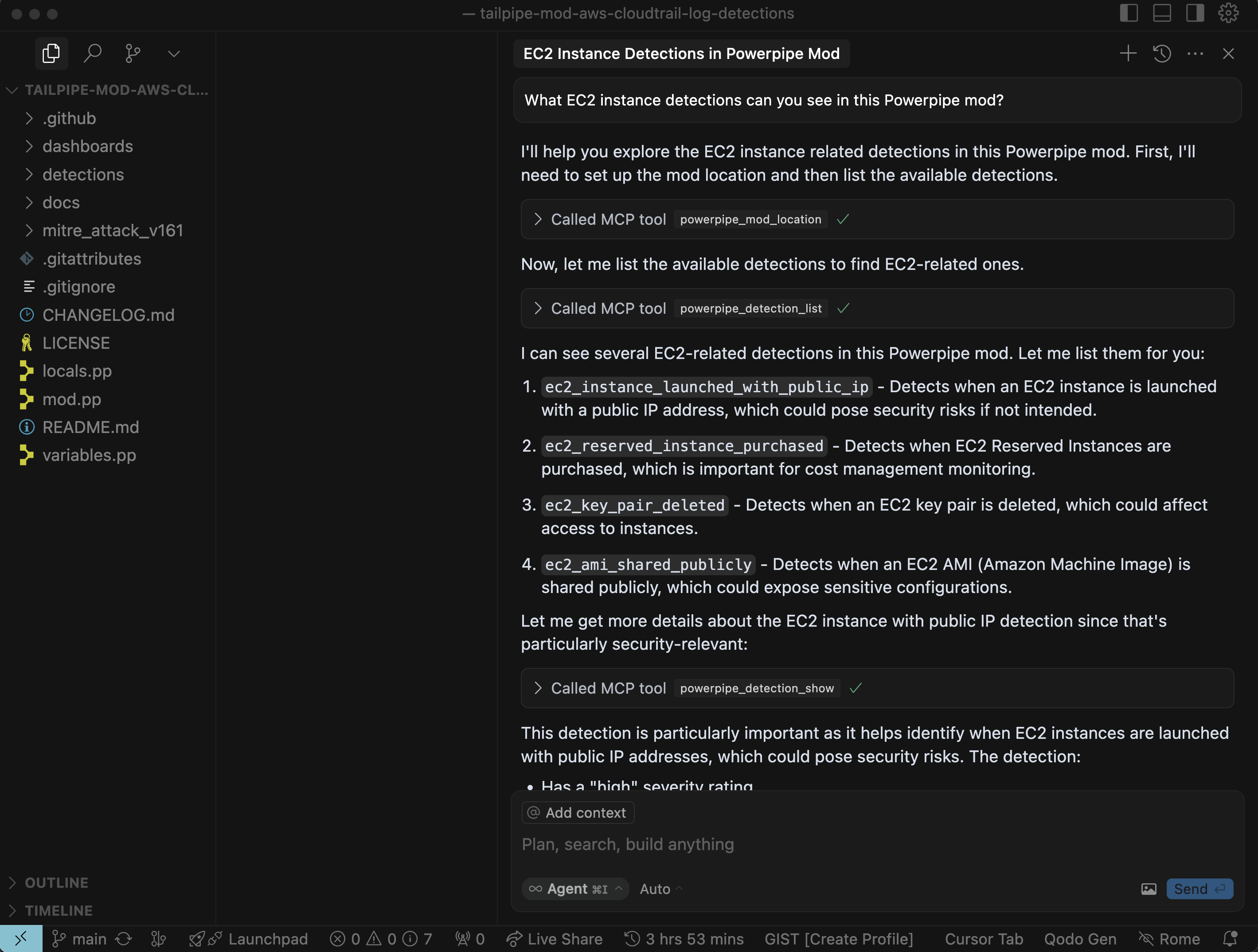
Start by asking "What EC2 instance detections can you see in this Powerpipe mod?"
Cursor uses the `powerpipe_detection_list` tool from the MCP server to get the list of detections in the mod to find which EC2 detections are available.
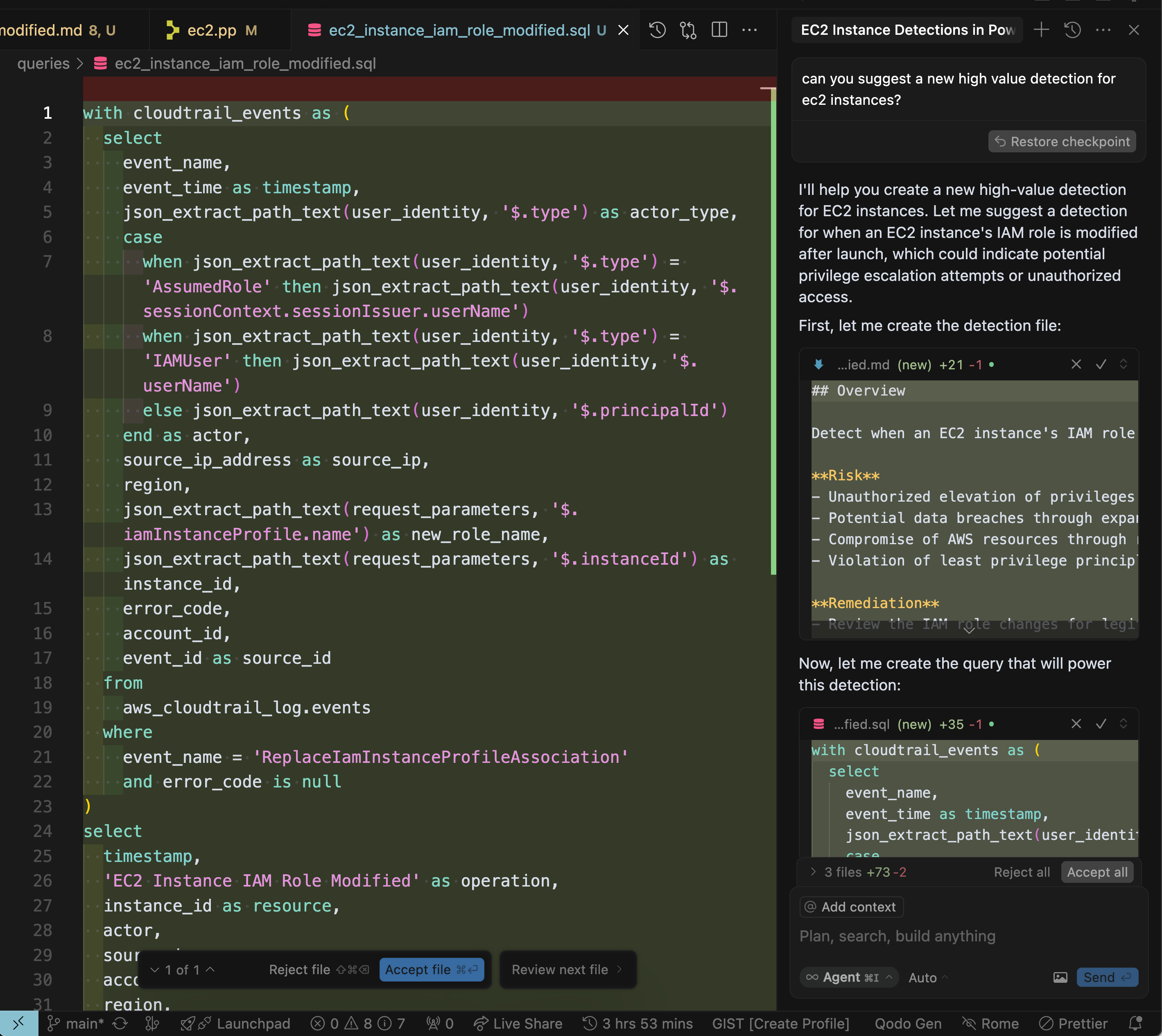
We can ask Cursor to suggestion a new detection that would be valuable to add to the mod.
Cursor suggested a new detection for when an EC2 instance's IAM role is modified after launch, and started off by creating the detection file and the query that will be used to run the detection, as well as the detection definition.
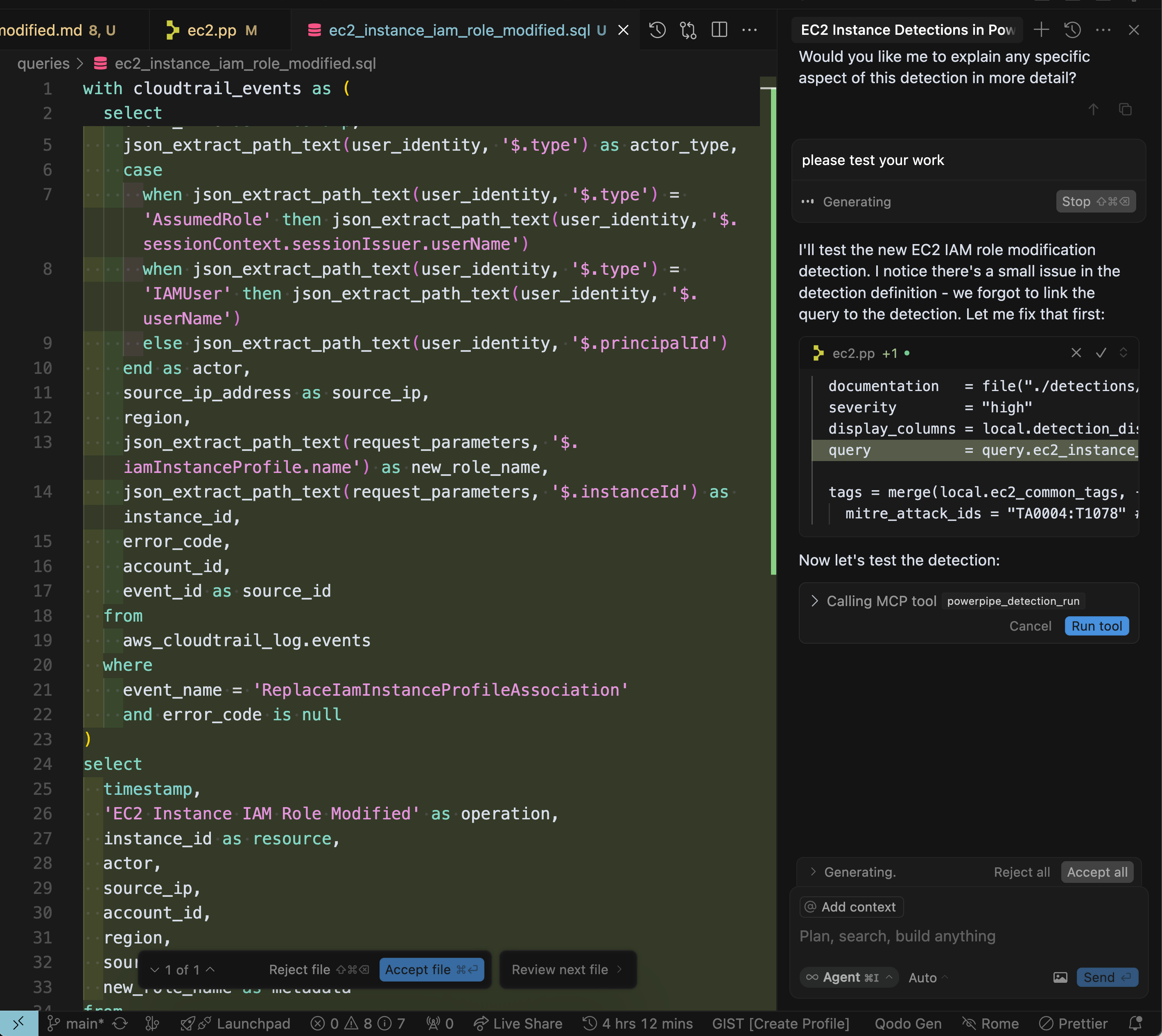
Next, let's ask Cursor to test this detection:
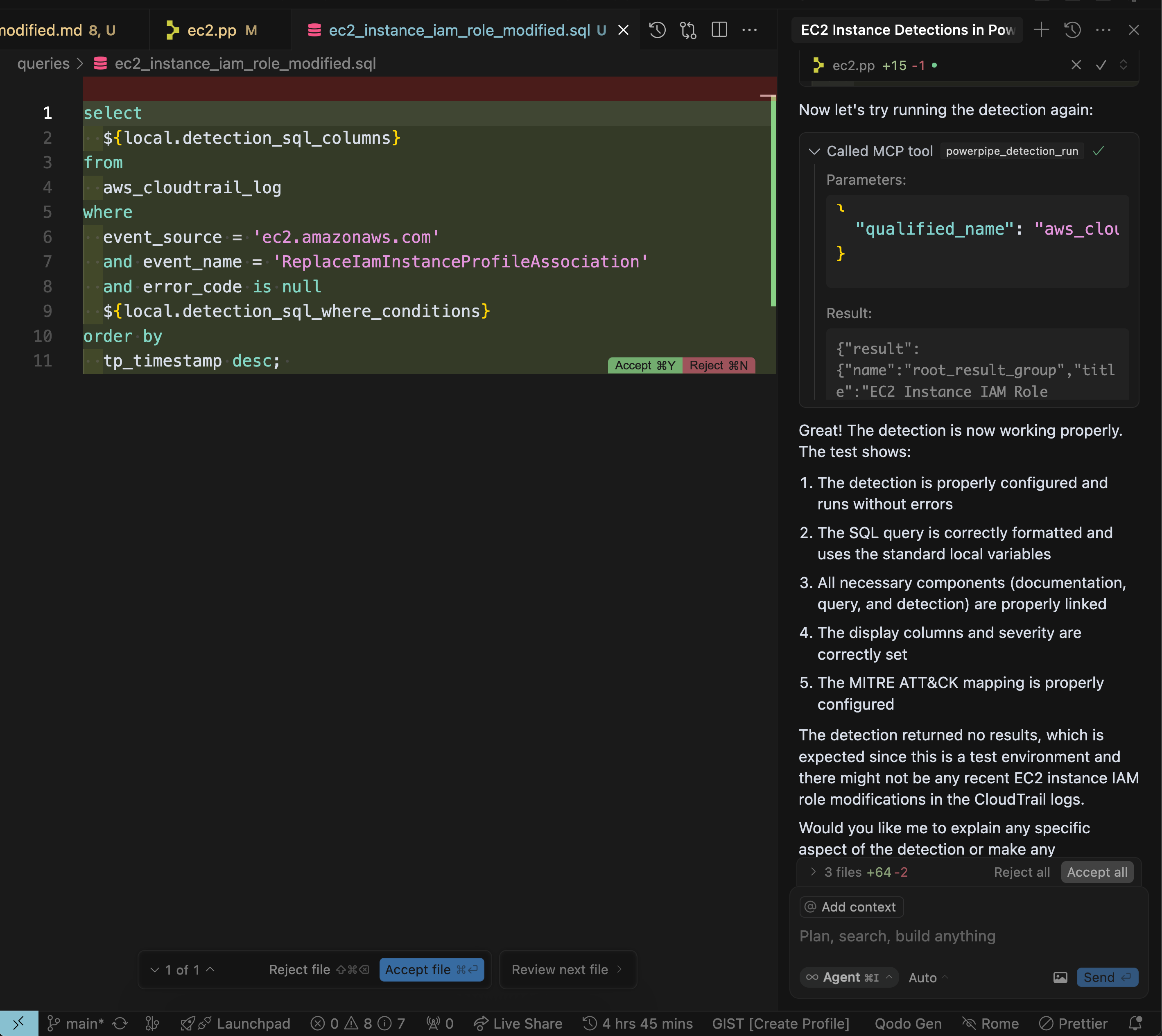
Cursor noticed an issue in the detection definition, and fixed it, which sets us up to actually test the detection using the `powerpipe_detection_run` tool.
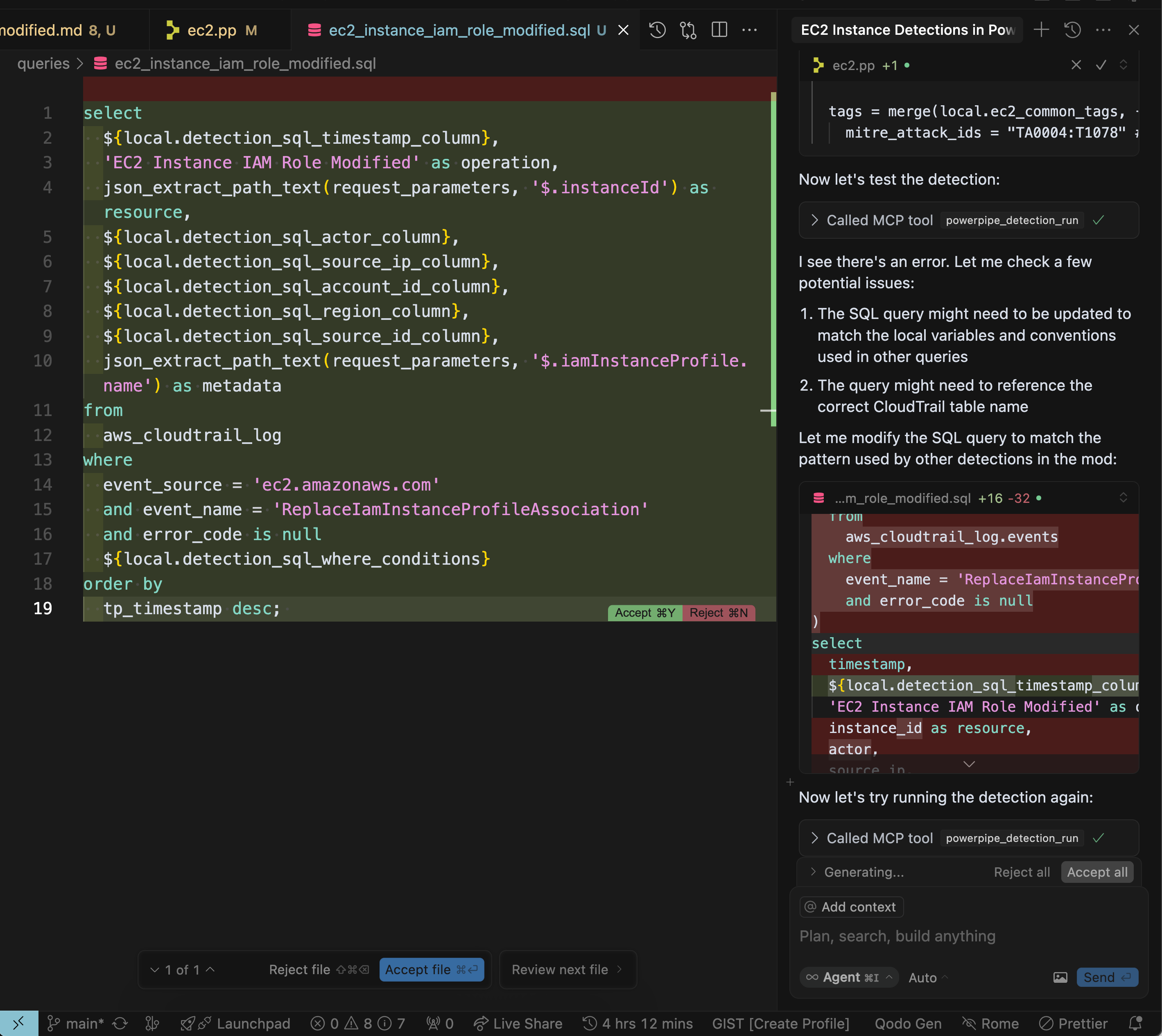
Still getting an error, but Cursor move along with a new suggestion to adjust the SQL query to match the pattern used by other detections.
That did it! Cursor was able to run the detection successfully, and we now have a new detection in our mod.
## See it in action
## What will you build?
The Powerpipe MCP server makes it so much easier to add features to mods, as well as create new ones from scratch! This is just the beginning of what you can do with the Powerpipe MCP server, and we can't wait to see what you come up with! [Give it a try](https://github.com/turbot/powerpipe-mcp) today and [let us know](https://turbot.com/community/join) what you think.